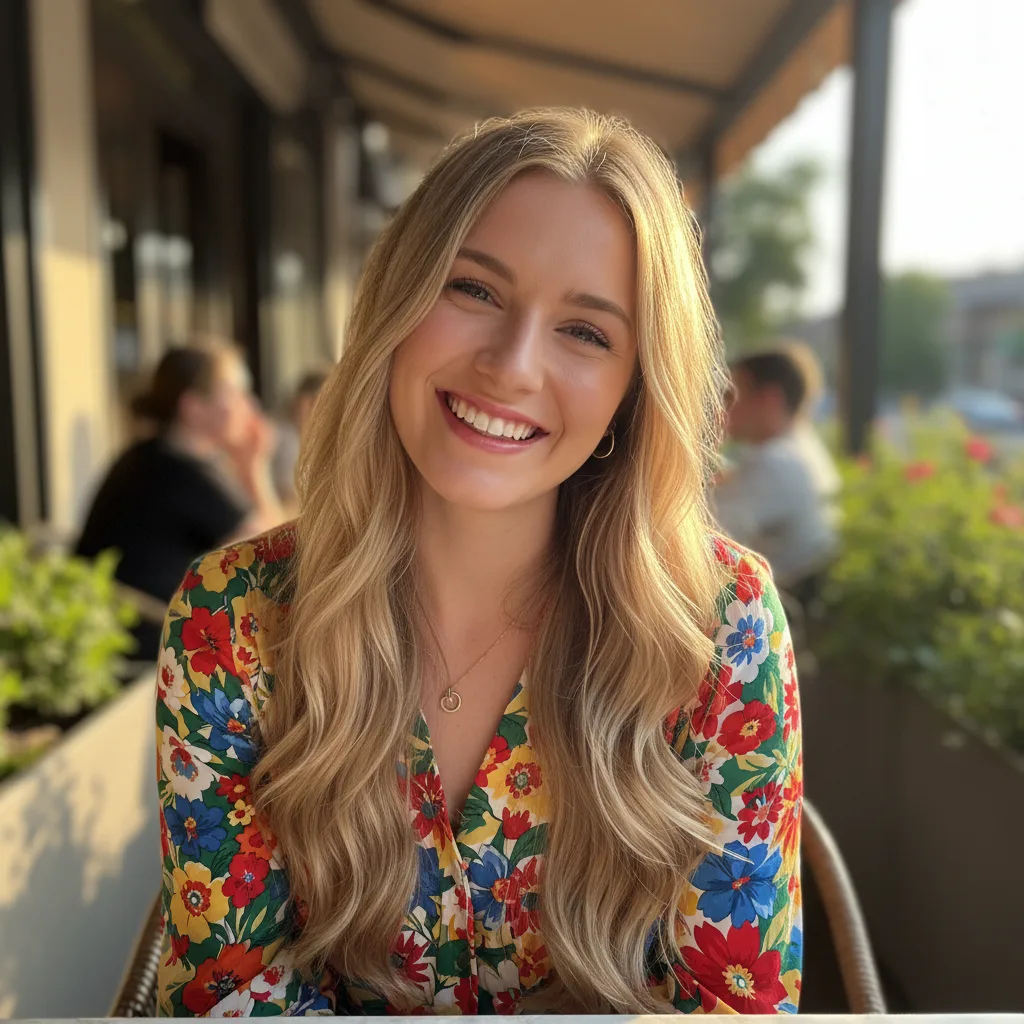
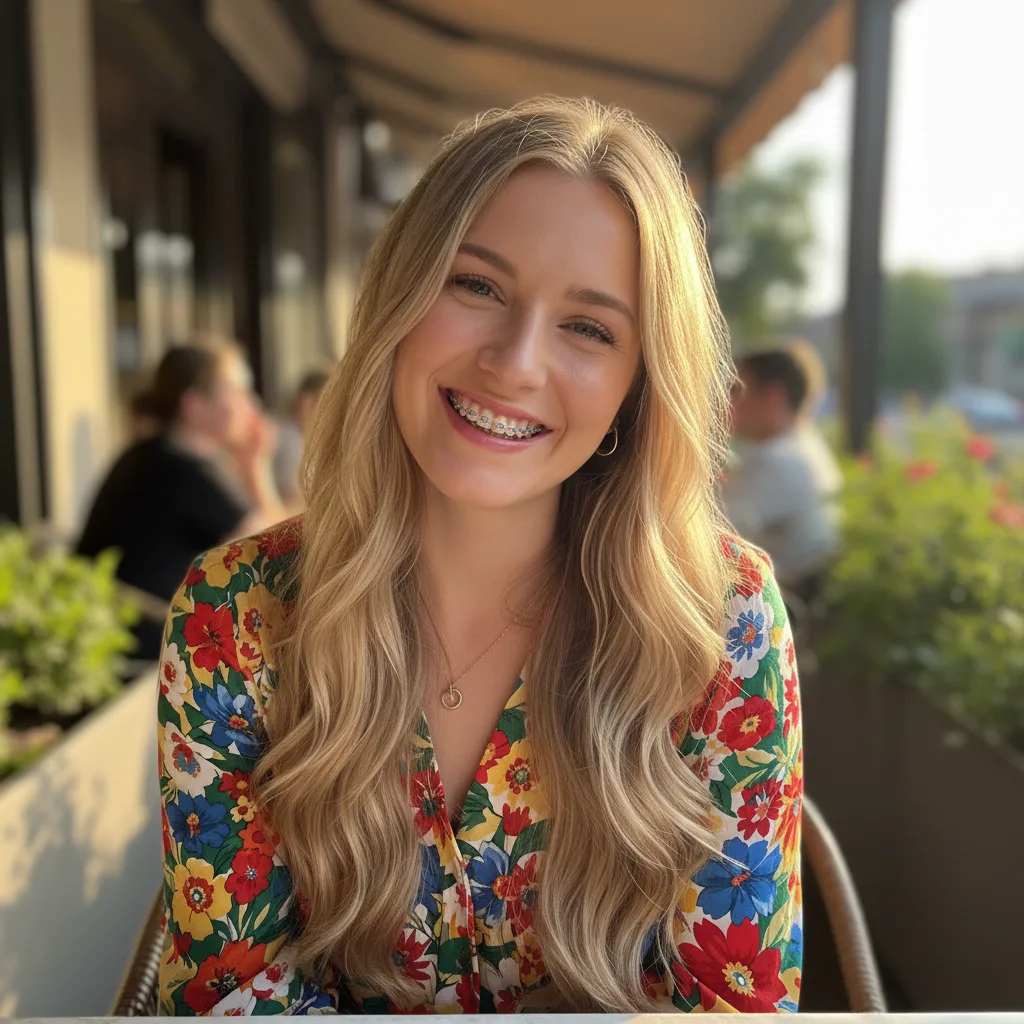
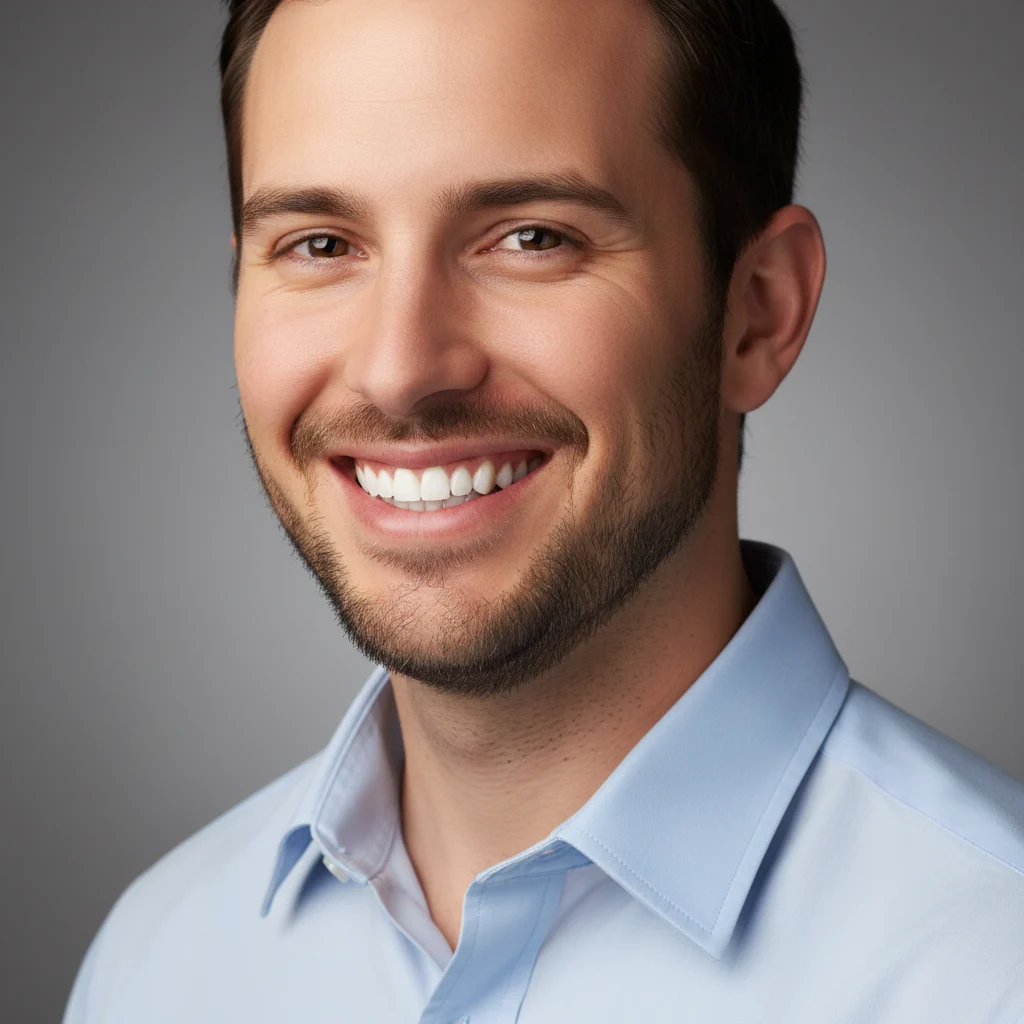
Before
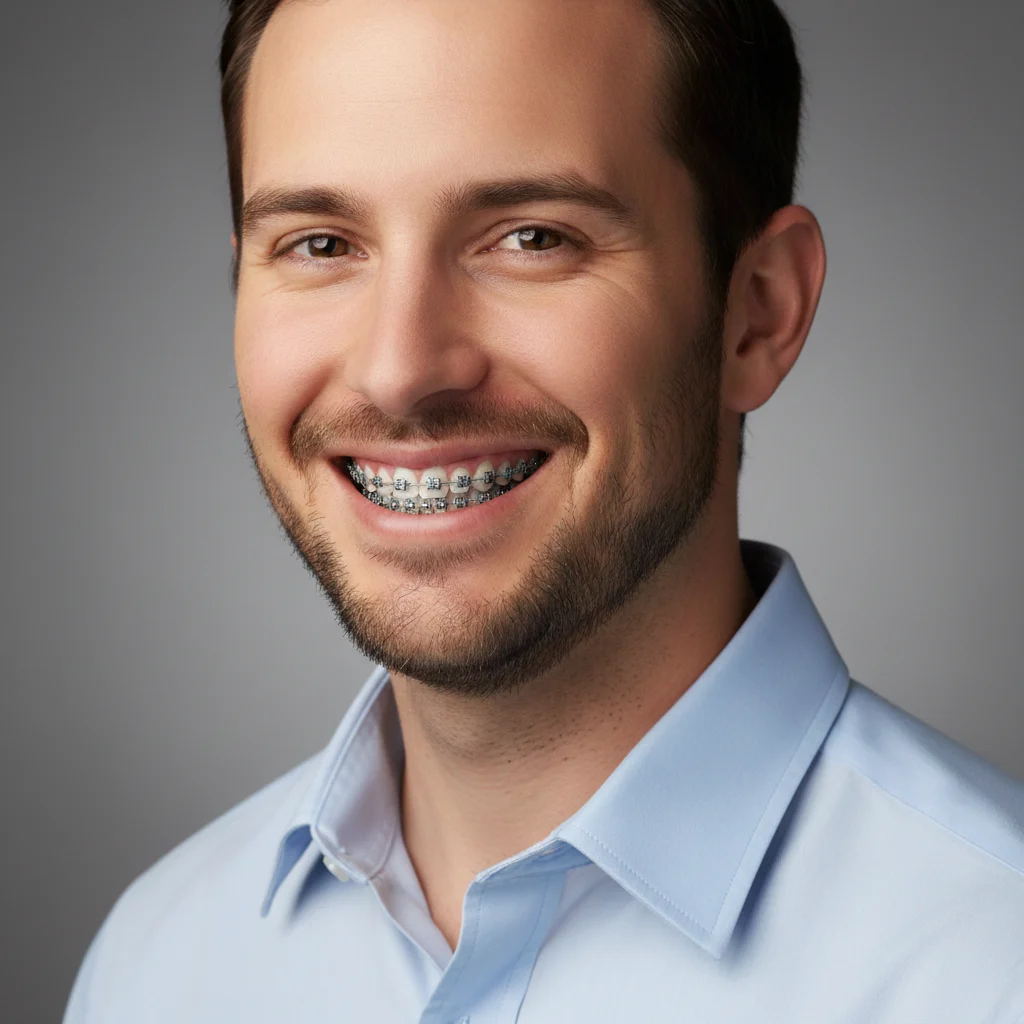
After
01Transformations
Brackets placed tooth by tooth
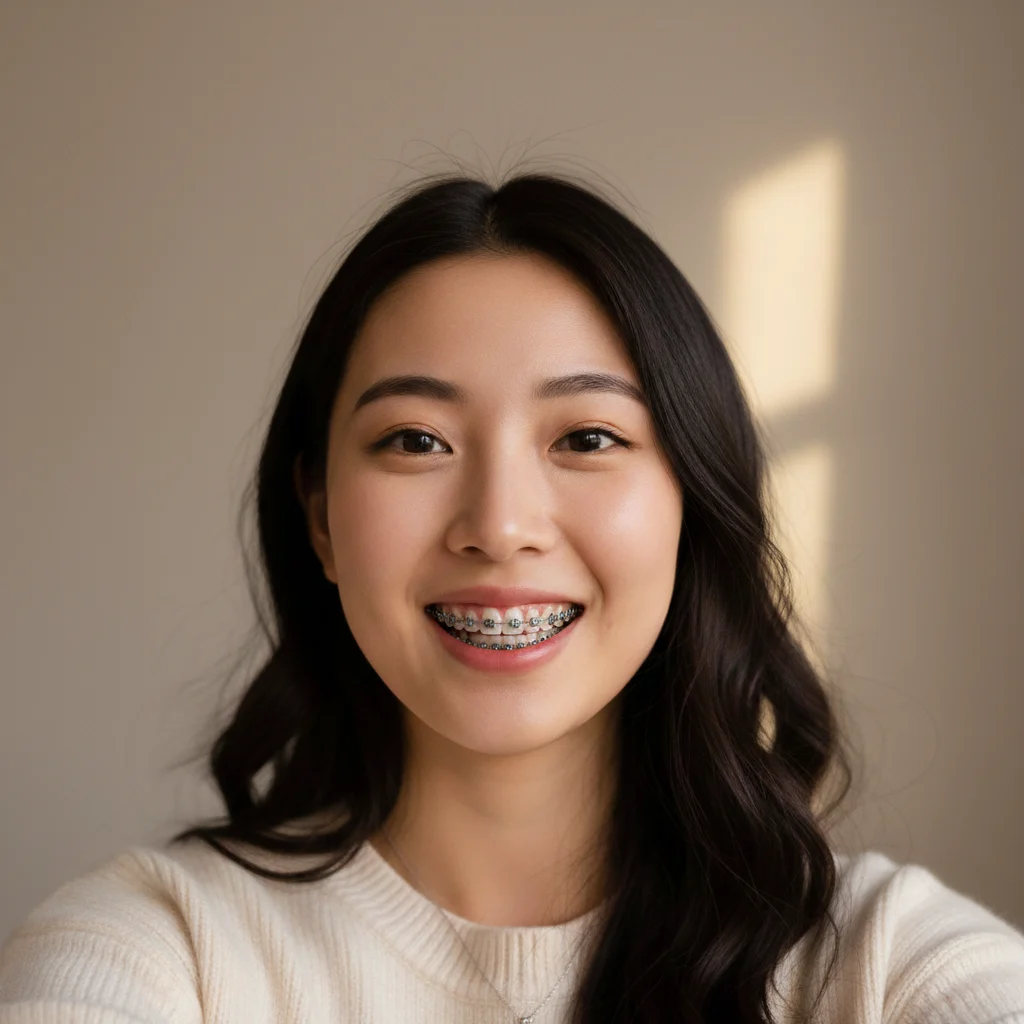
Individual brackets are placed along the visible teeth with a wire running across them, following the curve of your own smile rather than being stamped on as a flat overlay.
AI Braces Filter
Upload a clear smiling photo to create an AI preview with metal braces
Braces Filter Results
Preview how metal braces might look on your smile with Nano Banana Pro
A normal smile on one side, braces fitted on the other. Drag the slider to see the brackets sit along each tooth.
Individual brackets are placed along the visible teeth with a wire running across them, following the curve of your own smile rather than being stamped on as a flat overlay.
A front-facing photo with an open smile works best. If the teeth are barely visible, there is nothing for the brackets to sit on.
People try it out of curiosity before an orthodontic consultation, for costume and cosplay looks, or simply to see how a smile changes with braces on it.
Three steps, no design skills required.
Add a JPG, PNG or WebP file up to 10MB. A sharp, well-lit photo gives the best result.
AI Braces Filter handles the transformation automatically.
Preview the generated image and download it, or run another variation.
If you're about to start orthodontic treatment — or are simply curious — upload a smiling photo to create a visual preview of yourself with braces. The tool runs in your browser and does not require an app, but it is not a substitute for advice or treatment planning from an orthodontist.
The model uses the visible teeth and smile as references when generating brackets and wires. The result is an AI-created photo effect, not a precise simulation of bracket placement or how your smile will look during treatment.
The filter currently renders the familiar look of metal brackets connected by an archwire. This is a creative style preview, not a recommendation for a particular type of braces.
Ceramic brackets, colored bands, aligners, and other orthodontic options can look and work differently. Use the generated image only as a general visual reference; an orthodontist can explain which options suit your teeth and show clinically appropriate examples.
Use a front-facing, well-lit photo where you are smiling with your teeth clearly visible. A clear view gives the model a better reference for the generated braces effect. Natural daylight or bright indoor lighting both work well.
Higher-resolution photos usually provide more convincing detail. Avoid closed-mouth smiles, extreme angles, and heavy beauty filters that blur tooth edges. The model aims to keep your face, hair, and background consistent, but small changes can occur.
Common questions about using AI Braces Filter
The AI Braces Filter is a creative photo effect that uses your visible smile as a reference to generate metal brackets and wires. It is a visual preview only, not a clinical orthodontic simulation, diagnosis, or prediction of treatment results.
Use a front-facing, well-lit selfie or portrait where your mouth is open and your teeth are clearly visible. High-resolution images give the most detailed and convincing braces effect.
The model aims to limit changes outside the mouth area and keep your overall appearance consistent. Because this is a generative edit, small changes to facial details, lighting, hair, clothing, or the background can still occur.
Clear, well-lit photos can produce a convincing braces effect with visible brackets, wires, reflections, and shadows. Realism varies with tooth visibility, angle, resolution, and the generated result, so it should not be treated as a clinical preview.
Yes. The generated image is yours to download and share anywhere — Instagram, TikTok, or with friends. It's perfect for fun before/after posts or visualizing what braces would look like on you.
Each generation uses 2 credits. New users receive free registration credits to try it out. You can purchase additional credits via our credit packages.
Generation time varies with image complexity and server load. Most results arrive quickly, but processing can take longer during busy periods.
Generated images may be used for personal, social, and creative projects subject to Nano Banana Pro's terms of service. Do not present an AI braces preview as a dental record, diagnosis, or treatment result.
Still have questions? Contact support@nano-banana-pro.ai
Other Nano Banana Pro templates that work with the same photo.