12 Nano Banana Pro 3D Isometric Prompts (2026)
Copy 12 Nano Banana Pro 3D isometric prompts for SaaS, AI, cloud, fintech, and app visuals, plus a reusable formula and troubleshooting tips.

A polished SaaS illustration needs more than the phrase “make it 3D.” The prompt has to control the visual metaphor, isometric camera, object hierarchy, materials, lighting, color system, and empty space at the same time.
This guide gives you a reusable formula and 12 ready-to-copy Nano Banana Pro 3D isometric prompts for product pages, app launches, pitch decks, blog covers, and technical explainers. Every prompt is brand-neutral, so you can replace the subject and colors without rebuilding the entire scene.
Want to try one now? Open the Nano Banana Pro creator →
Quick Answer: The Best 3D Isometric Prompt Formula
The most reliable structure is:
Use case + central visual metaphor + supporting objects + isometric camera +
materials and lighting + controlled palette + composition + constraints
Use this reusable master template:
Create a premium 3D isometric illustration for [USE CASE OR TOPIC].

Central visual metaphor: [ONE MAIN OBJECT that explains the idea].
Supporting objects: [THREE TO FIVE objects that clarify the system].
Relationships: connect related objects with tidy paths, nodes, or arrows only where useful.

Use a consistent 30-degree elevated three-quarter isometric view with mostly
orthographic perspective. Build the scene from smooth rounded geometry,
matte molded surfaces, subtle bevels, polished edges, and restrained glass accents.

Light the scene with one large soft source from the upper left. Add gentle ambient
occlusion and light blurred contact shadows. Use [PRIMARY COLOR] with white,
light gray, and one small complementary accent.

Keep one clear focal point. Let the illustration occupy about 60-70% of a clean
[ASPECT RATIO] canvas with generous negative space.

No logo, watermark, signature, random text, clutter, distorted devices,
inconsistent perspective, harsh black shadows, or dark cyberpunk background.
The order matters. Define the concept first, then describe how it should look. This gives the model a clear scene to build instead of a loose list of style adjectives.
12 Prompt Ideas at a Glance
| Prompt | Central Metaphor | Best For | Suggested Accent |
|---|---|---|---|
| API Integration | Connector hub between app modules | Developer tools, integrations | Indigo |
| AI Agent | Intelligent core connected to tools | Automation products | Violet |
| Cloud Security | Shield protecting cloud and data | Security landing pages | Azure |
| SaaS Analytics | Floating dashboard and KPI cards | Reporting software | Purple |
| Fintech Payments | Phone and secure transaction path | Finance apps | Emerald |
| CRM Automation | Customer workspace and workflow | Sales software | Coral |
| Developer Platform | Code workspace and deployment flow | Cloud IDEs, DevOps | Teal |
| RAG Knowledge System | Retrieval core between files and chat | Enterprise AI | Cyan |
| E-commerce Operations | Storefront linked to orders and stock | Commerce platforms | Orange |
| Team Collaboration | Shared workspace with connected tasks | Productivity apps | Blue |
| Data Pipeline | Processing engine between sources and charts | Data platforms | Blue-green |
| Project Management | Roadmap board with linked milestones | Planning software | Indigo-yellow |
1. API Integration Platform Prompt
Use this for API products, integration marketplaces, developer documentation, or a homepage section that explains connected services.
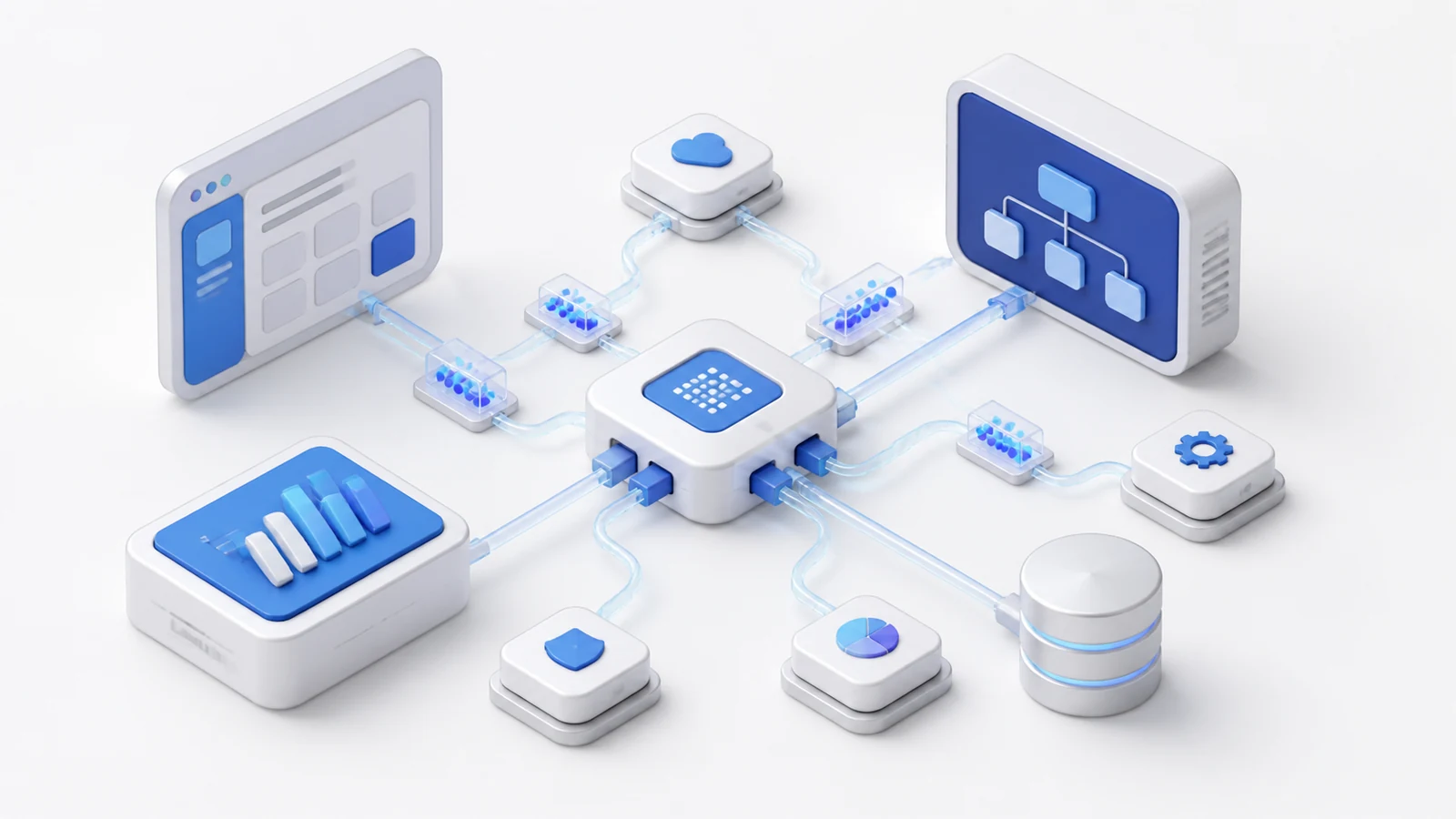
Create a premium 3D isometric illustration of an API integration platform.

Place one compact connector hub at the center, linking two larger software modules.
Surround it with four smaller app blocks, a database cylinder, a browser panel,
and a few data packets. Use clean curved connection paths so the flow is obvious
without becoming a web of lines.

Use a consistent 30-degree elevated isometric view, rounded matte geometry,
small bevels, polished edges, and restrained translucent connection elements.
Light the scene softly from the upper left with subtle ambient occlusion and
light contact shadows.

Palette: white and light gray surfaces with indigo and azure accents.
Composition: centered 16:9 scene, one dominant hub, generous negative space.
No logos, code text, random labels, watermark, harsh shadows, or visual clutter.
Customize it: replace “database cylinder” with a payment gateway, CRM, email service, or storage bucket to match the integration you sell.
2. AI Agent Workflow Prompt
This prompt explains an agent as a system that acts across tools instead of showing a generic robot.

Create a sophisticated 3D isometric illustration of an AI agent coordinating
a business workflow.

Show one luminous abstract intelligence core on a raised central platform.
Connect it to six secondary modules represented by simple icon-like forms:
email, calendar, browser, customer records, analytics, and a task checklist.
Add two tidy workflow branches with clear start and completion states.

Use a mostly orthographic 30-degree elevated isometric camera. Build the objects
from soft matte polymer, painted metal, and subtle frosted glass. Use diffused
studio lighting from the upper left, gentle violet glow only around the AI core,
and soft blurred grounding shadows.

Palette: warm white, light gray, violet, indigo, and tiny yellow status accents.
Keep the AI core dominant and the tool modules secondary on a clean 16:9 canvas.
No humanoid robot, logo, company name, tiny text, neon cyberpunk, or tangled lines.
3. Secure Cloud Infrastructure Prompt
Use a shield as the main metaphor and let the surrounding components explain what it protects.

Create a premium 3D isometric cloud security illustration for a B2B landing page.

Place a large sculpted shield in front of a soft white cloud. Arrange a database,
two server blocks, an identity token, and a small monitoring panel around them.
Connect the protected components with thin blue paths that pass behind the shield.
Add a subtle circular safety boundary beneath the central group.

Use a consistent 30-degree elevated three-quarter isometric perspective.
Materials should feel like matte molded hardware with rounded corners, precise
bevels, restrained glass, and crisp edges. Use soft upper-left studio light,
gentle ambient occlusion, and pale floating shadows.

Palette: white, cool gray, azure blue, and a small cyan accent.
Composition: balanced 16:9 layout occupying about 65% of the canvas.
No dark hacker imagery, warning text, padlock labels, logos, watermark, or clutter.
4. SaaS Analytics Dashboard Prompt
The dashboard should be the focal point. Supporting charts add context but should not compete with it.

Create a clean 3D isometric illustration of a SaaS analytics and reporting platform.

Show one large floating dashboard with a line chart, bar chart, donut chart,
and four simplified metric cards made from shapes rather than text. Place a small
laptop, report tile, and rising indicator around the main screen. Keep all data
elements plausible, aligned, and visually consistent.

Use a 30-degree elevated isometric view with smooth matte surfaces, rounded frames,
subtle depth, and a small amount of frosted glass. Add large soft studio lighting
from the upper left and light neutral contact shadows.

Palette: warm white, pale gray, violet, indigo, and one restrained green accent.
Use a spacious 16:9 composition with the dashboard as the unmistakable focal point.
No real company data, random numbers, paragraphs, logos, watermark, or glossy clutter.
5. Fintech Payment System Prompt
This version emphasizes the transaction path rather than filling the scene with coins.
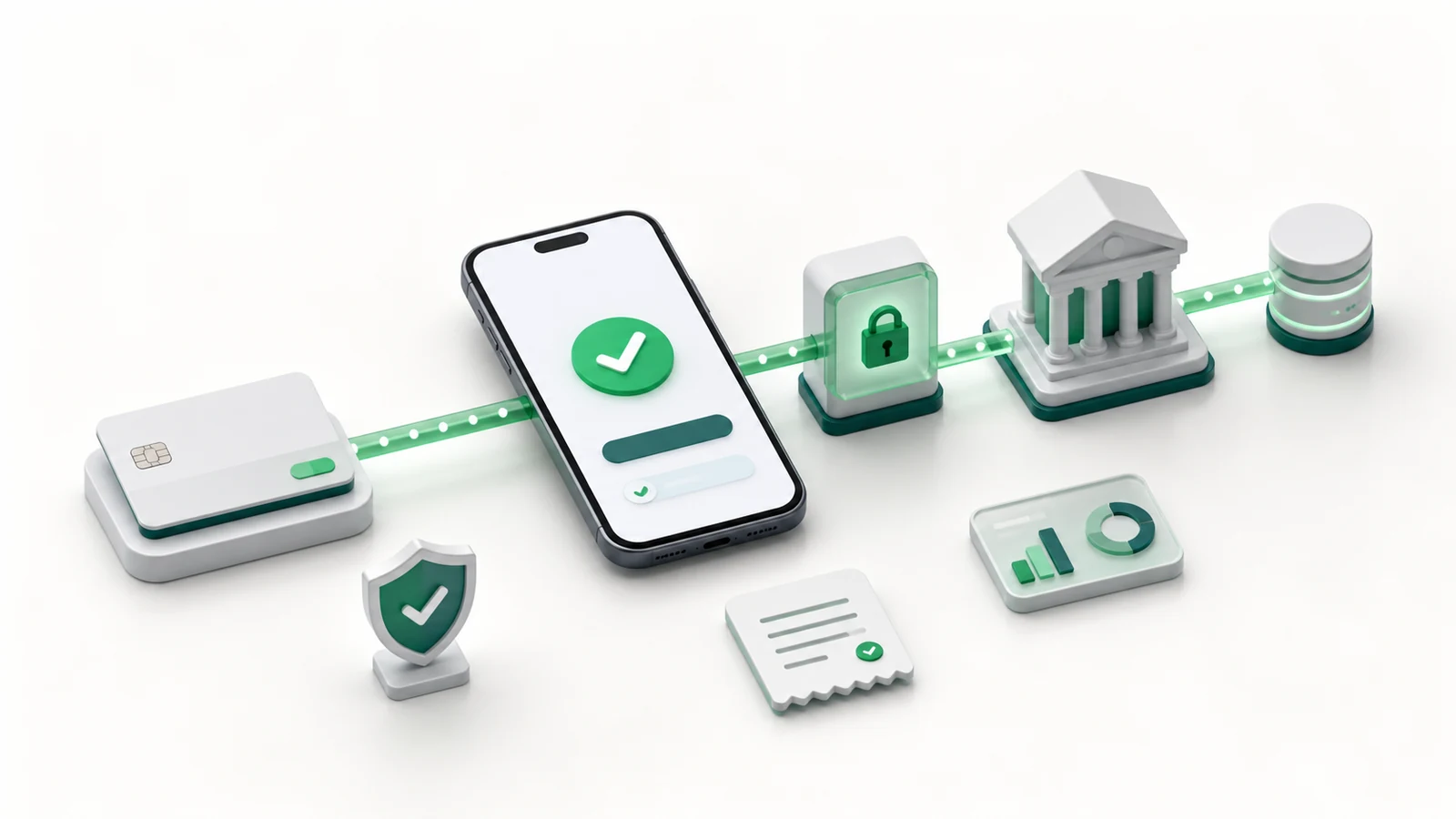
Create a premium 3D isometric illustration of a secure digital payment platform.

Place a smartphone with a simple payment confirmation interface at the center.
Build a clear transaction path from a payment card to the phone, then through
a secure gateway block to a bank building and database. Add one small shield,
a receipt tile, and a compact analytics card as secondary objects.

Use a 30-degree elevated orthographic-style isometric camera, realistic object
thickness, rounded matte geometry, subtle metal edges, and restrained glass.
Light from the upper left with soft global illumination and pale contact shadows.

Palette: white and light gray with emerald green and deep teal accents.
Keep the scene centered, calm, and credible on a 16:9 canvas with ample whitespace.
No currency logos, card brand marks, account numbers, random text, watermark, or gold clutter.
6. CRM Automation Prompt
Use profile shapes and pipeline stages to communicate CRM without relying on small labels.

Create a modern 3D isometric illustration of an AI-powered CRM automation platform.

Show a central customer workspace with profile cards, a simple sales funnel,
and a compact timeline. Connect it to an email tile, task list, analytics card,
and one abstract AI assistant node. Use a single directional workflow that moves
from a new lead to a completed action.

Use a consistent 30-degree elevated isometric view, rounded matte surfaces,
subtle bevels, soft polymer materials, and limited frosted glass. Add diffused
studio light from the upper left with gentle ambient occlusion.

Palette: warm white, pale gray, coral, indigo, and small green completion accents.
Composition: one dominant workspace, secondary modules spaced evenly, 16:9 canvas.
No names, emails, readable personal data, logos, random words, watermark, or crowded UI.
7. Developer Platform and DevOps Prompt
The sequence is more important than decorative code. Make build, deploy, and monitor visually distinct.

Create a premium 3D isometric illustration of a cloud developer platform and DevOps flow.

Place a laptop with a simplified code-editor layout at the left. Build a clear path
through three modular stages representing build, test, and deploy. End the path at
a cloud server and a monitoring dashboard. Add a small repository cube and database
as supporting objects, keeping every connection directional and easy to follow.

Use a 30-degree elevated orthographic isometric perspective, rounded molded forms,
painted metal, precise bevels, and subtle glass only on screens. Light the scene
softly from the upper left with neutral blurred shadows.

Palette: white, graphite-gray details, teal, indigo, and a small green success accent.
Use a wide 16:9 composition with clear left-to-right visual flow and generous whitespace.
No readable code, brand icons, terminal text, logos, watermark, neon, or excessive cables.
8. RAG Knowledge System Prompt
This prompt uses a retrieval layer between the document source and response interface, making the architecture easier to understand.
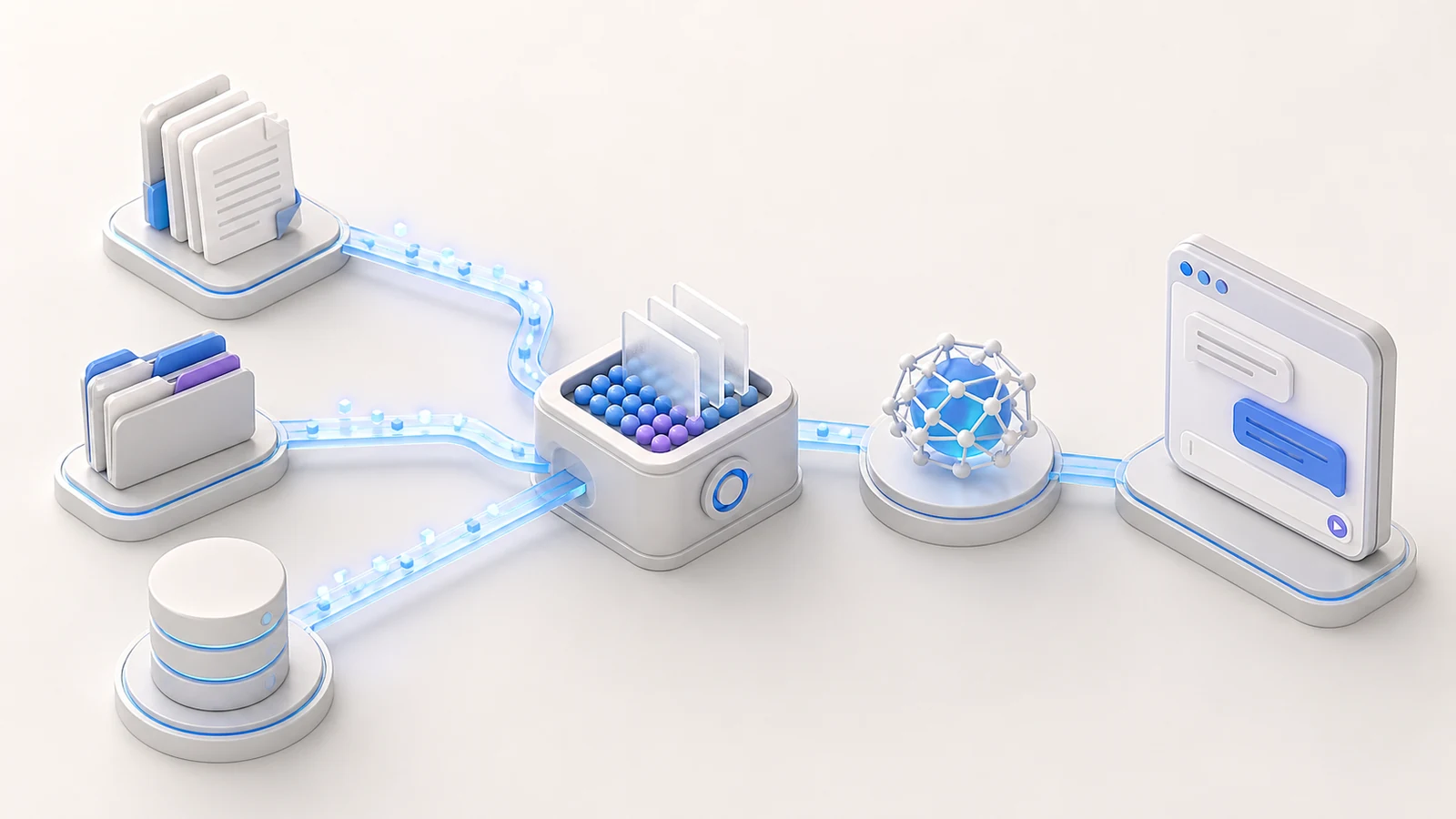
Create a refined 3D isometric illustration of a retrieval-augmented generation system.

Arrange three source groups on the left: document sheets, a knowledge folder,
and a small database. Route them into a central retrieval and ranking core,
then connect that core to an abstract AI model and a clean chat interface on the right.
Use a few glowing data particles to show retrieval, but keep the path simple.

Use one consistent 30-degree elevated isometric camera, smooth matte geometry,
rounded corners, restrained translucent data paths, and subtle object depth.
Add soft upper-left studio light, gentle ambient occlusion, and pale contact shadows.

Palette: warm white, light gray, cyan, indigo, and a small violet accent.
Composition: wide 16:9 technical explainer with a clear left-to-right hierarchy.
No paragraphs, fake citations, random labels, logos, watermark, tangled nodes, or dark background.
9. E-commerce Operations Prompt
Use this for inventory, order management, fulfillment, or merchant software.

Create a polished 3D isometric illustration of an e-commerce operations platform.

Place a compact digital storefront at the center. Connect it to an order card,
inventory shelves, a payment block, a parcel, and a delivery route. Add a small
analytics panel behind the storefront and use one clean path to show an order
moving from purchase to fulfillment.

Use a consistent 30-degree elevated isometric view with rounded matte surfaces,
small bevels, crisp silhouettes, and restrained glass on the storefront screen.
Light with a large soft source from the upper left and gentle neutral shadows.

Palette: white, light gray, orange, indigo, and tiny green completion accents.
Use a balanced 16:9 composition with the storefront as the main object.
No marketplace logos, shipping brand marks, prices, random text, watermark, or excessive boxes.
10. Team Collaboration Platform Prompt
The shared workspace should connect people and tasks without requiring photorealistic characters.
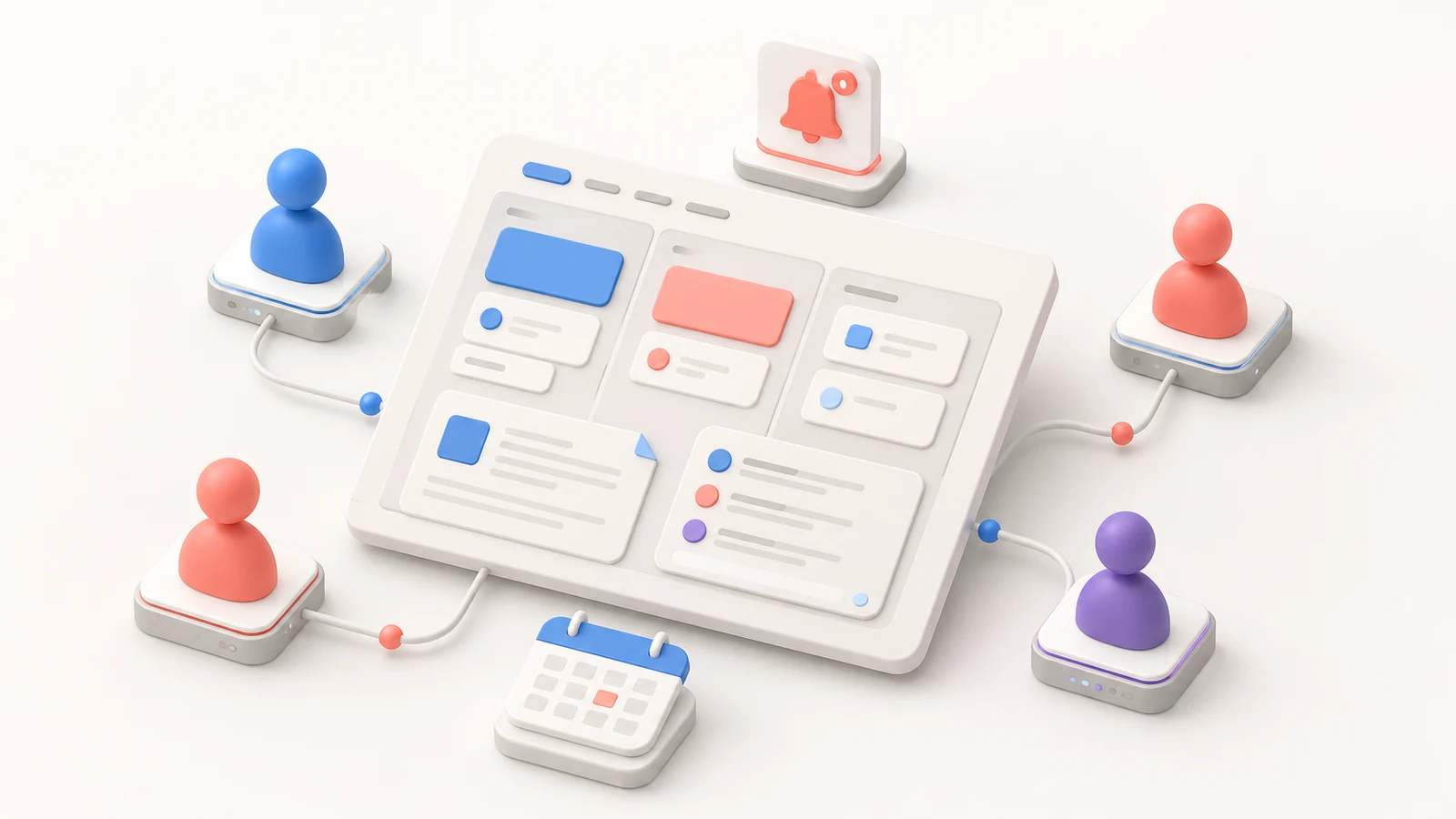
Create a friendly premium 3D isometric illustration of a real-time collaboration platform.

Show one shared workspace board in the center with simplified task cards,
a document panel, and a comment thread represented by clean shapes. Surround it
with four abstract user avatars on small device platforms. Connect each participant
to the workspace with subtle paths and add one notification tile and calendar card.

Use a 30-degree elevated isometric perspective, soft matte molded geometry,
rounded corners, subtle glass, and gentle depth. Use diffused studio light from
the upper left with soft floating shadows.

Palette: warm white, light gray, blue, coral, and a small violet accent.
Keep the shared board dominant on a spacious 16:9 canvas.
No photorealistic people, names, chat text, logos, watermark, or crowded notification bubbles.
11. Data Pipeline Prompt
Make the flow readable from source to processing to storage to insight.
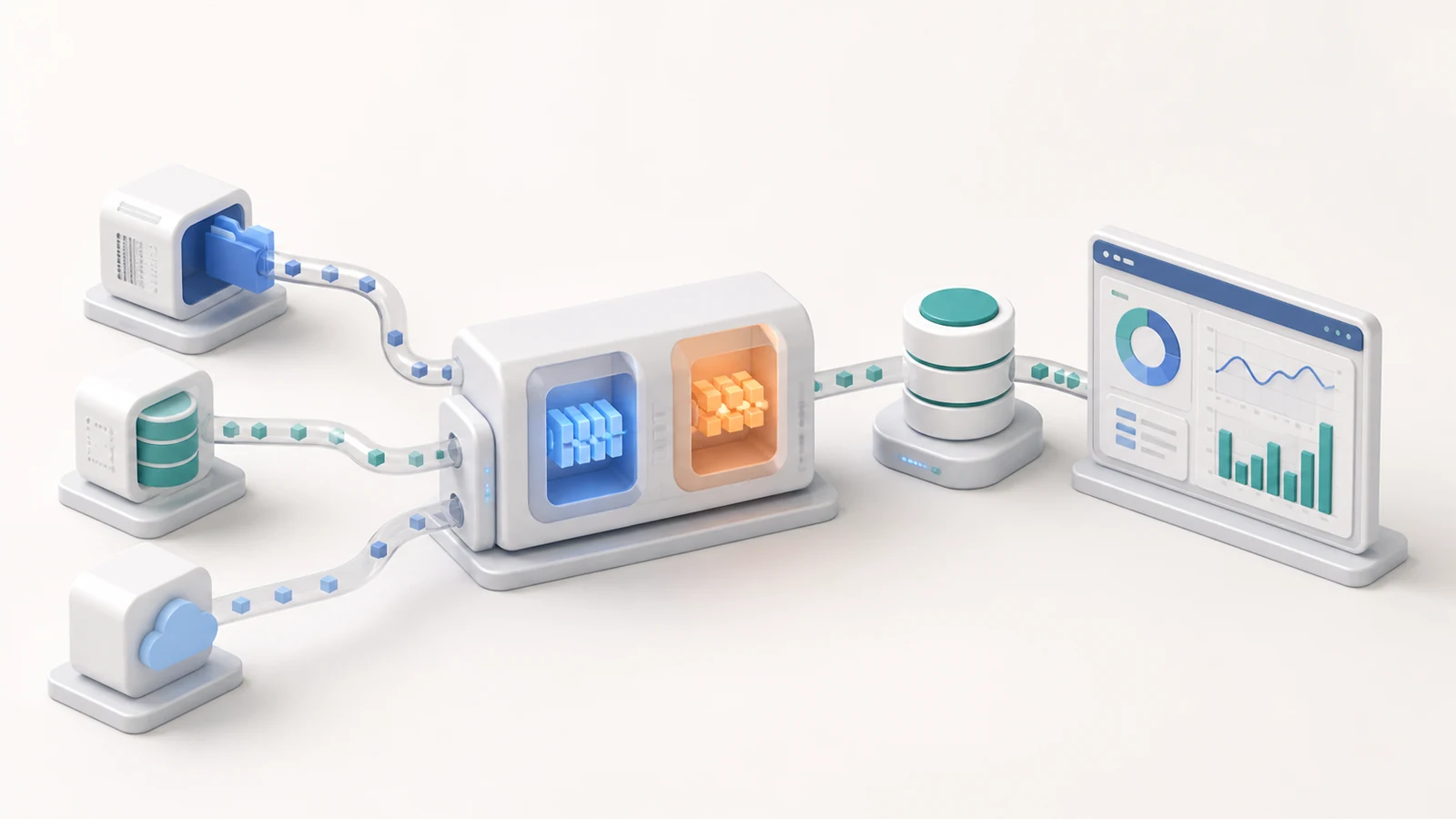
Create a professional 3D isometric illustration of a modern data pipeline.

Place three different data-source blocks on the left. Feed them into one central
processing engine with two clear transformation stages. Route the output to a
warehouse database and then to a clean analytics dashboard on the right.
Use a limited number of directional paths and small data packets to explain movement.

Use a consistent 30-degree elevated orthographic isometric view, rounded matte
hardware, polished edges, realistic thickness, and restrained translucent pipes.
Add soft upper-left studio lighting, gentle ambient occlusion, and neutral contact shadows.

Palette: white, light gray, deep blue, teal, and one small orange processing accent.
Composition: wide 16:9 explainer with a strong left-to-right sequence.
No code, SQL labels, random numbers, logos, watermark, tangled pipes, or complex background.
12. Project Management Roadmap Prompt
Use milestone shapes, dependencies, and a calendar to show planning without generating unreadable task names.
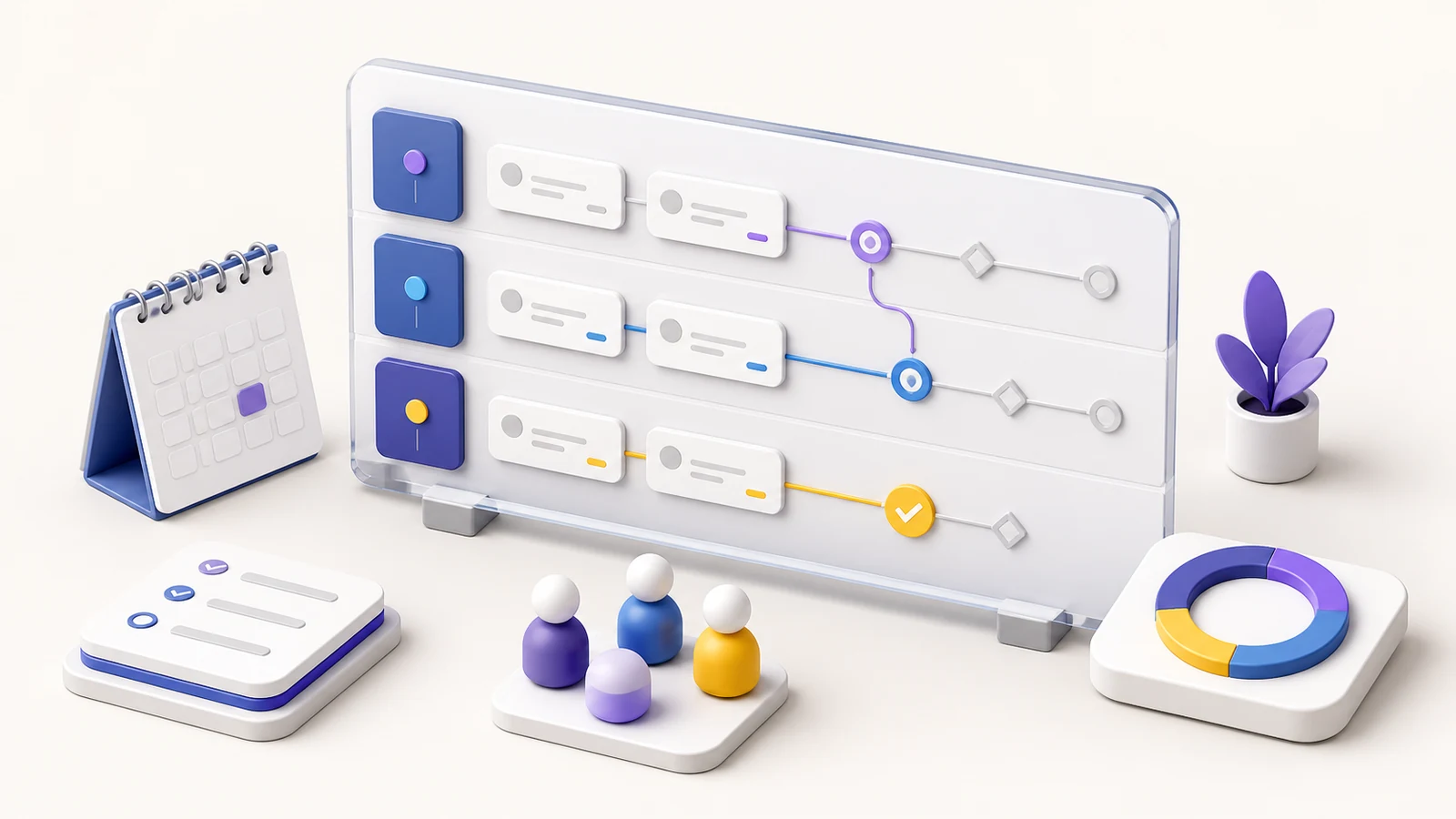
Create a premium 3D isometric illustration of a project management and roadmap platform.

Show one central roadmap board with three horizontal phases made from clean cards
and milestone markers. Connect two dependent tasks with a simple path. Add a calendar,
checklist, progress ring, and small team avatar group around the board. Include one
clear completion state and one upcoming milestone.

Use a consistent 30-degree elevated isometric view, smooth rounded matte surfaces,
subtle bevels, crisp edges, and restrained glass on the main board. Light from the
upper left with soft studio illumination and pale grounding shadows.

Palette: warm white, pale gray, indigo, violet, and small banana-yellow highlights.
Keep the roadmap dominant on a balanced 16:9 canvas with generous negative space.
No task text, dates, company names, logos, watermark, clutter, or conflicting arrows.
How to Use These Prompts in Nano Banana Pro
- Open the Nano Banana Pro image creator.
- Choose the aspect ratio that matches the placement. Use 16:9 for blog covers and landing-page sections, 1:1 for social posts, or 4:3 when the scene needs more height.
- Paste one prompt and change the central object, supporting elements, and palette first.
- Generate a single draft before adding detail. If the concept is unclear at thumbnail size, simplify the scene instead of adding more adjectives.
- Keep the best composition and revise one variable at a time: object count, camera, palette, or lighting.
You do not need a reference image for a new scene. If you already have a brand visual, product screenshot, or rough sketch, upload it and state exactly what the model should borrow. For example: “Use the reference only for the violet color system and rounded surface language; create a new composition.”
If you are unsure how to describe an existing visual, the Image to Prompt tool can give you a starting description. Remove irrelevant objects and any accidental brand or creator references before reusing it.
How to Keep a Consistent Isometric Style
Consistency comes from locking a small visual system across every prompt:
- Camera: repeat the same elevated angle and mostly orthographic perspective.
- Geometry: choose either soft rounded forms or sharp technical forms; do not mix both casually.
- Materials: keep one main surface family, such as matte polymer plus restrained glass.
- Lighting: reuse the same light direction and shadow softness.
- Palette: define one primary family, neutrals, and one small accent.
- Density: keep a similar focal-object size and amount of negative space.
Save these lines as a shared style block, then change only the concept block for each new illustration. That is more reliable than pasting a completely different “master prompt” every time.
Common Problems and Fixes
The image looks like flat vector art
Add physical depth cues: “realistic object thickness, small bevels, matte molded surfaces, contact shadows, and gentle ambient occlusion.” Remove words such as “flat,” “icon set,” or “vector.”
The scene is too crowded
Limit the prompt to one main object and three to five supporting objects. State which object is dominant and ask for 30-40% clean negative space.
Devices or dashboards look distorted
Ask for “consistent orthographic-style isometric perspective, believable device proportions, aligned edges, and one camera angle.” Generate without tiny UI details first.
The output contains fake words
Tell the model to use shapes, bars, and icon-like forms instead of paragraphs. For production artwork, generate the clean illustration first and add final interface copy in your design tool.
The style changes between images
Reuse the exact camera, materials, lighting, palette, and composition lines. Change only the central metaphor and supporting objects. A reference image can also help, but specify which visual traits to preserve.
Frequently Asked Questions
What is a 3D isometric illustration prompt?
It is a prompt that describes a scene using a consistent elevated three-quarter view, controlled object geometry, and little or no perspective convergence. Good prompts also define the focal object, supporting relationships, materials, lighting, palette, and spacing.
Which aspect ratio works best for SaaS illustrations?
Use 16:9 for landing pages, blog covers, and presentation slides. Use 4:3 for denser technical explainers and 1:1 for social posts or compact feature cards. Choose the final placement before generating so the composition leaves space in the right areas.
How many objects should an isometric scene include?
Start with one central object and three to five supporting objects. Add more only when every object explains a real relationship. A smaller, clearer scene usually performs better at mobile and card sizes.
Can I add a logo or text to the generated image?
You can request short, exact text, but small interface copy is more likely to introduce errors. For a clean commercial workflow, generate a brand-neutral base image and add the approved logo and final typography afterward.
Can I use a reference image with these prompts?
Yes. State whether the image is a color reference, style reference, composition reference, or edit target. Also list what must remain unchanged. Do not ask the model to copy another creator’s artwork or visible branding.
Can I try Nano Banana Pro for free?
New users can review the current free-credit flow on the Nano Banana Pro free page, then open the creator and test one of the prompts above.
Create Your First Isometric SaaS Illustration
Pick the prompt closest to your product, replace the main metaphor and color palette, and generate one clean draft. The fastest path to a premium result is a clear visual hierarchy—not a longer list of decorative adjectives.
Create a 3D isometric illustration with Nano Banana Pro →
For more prompt ideas, see the complete Nano Banana Pro guide and our collection of cartoon style prompts.