AI Barbie Doll Filter: 15 Best Prompts & Free Step-by-Step Guide (2026)
Transform your photos into stunning AI Barbie dolls with 15 best prompts. Free tools, step-by-step guide, and pro tips for viral Barbie figurine results.
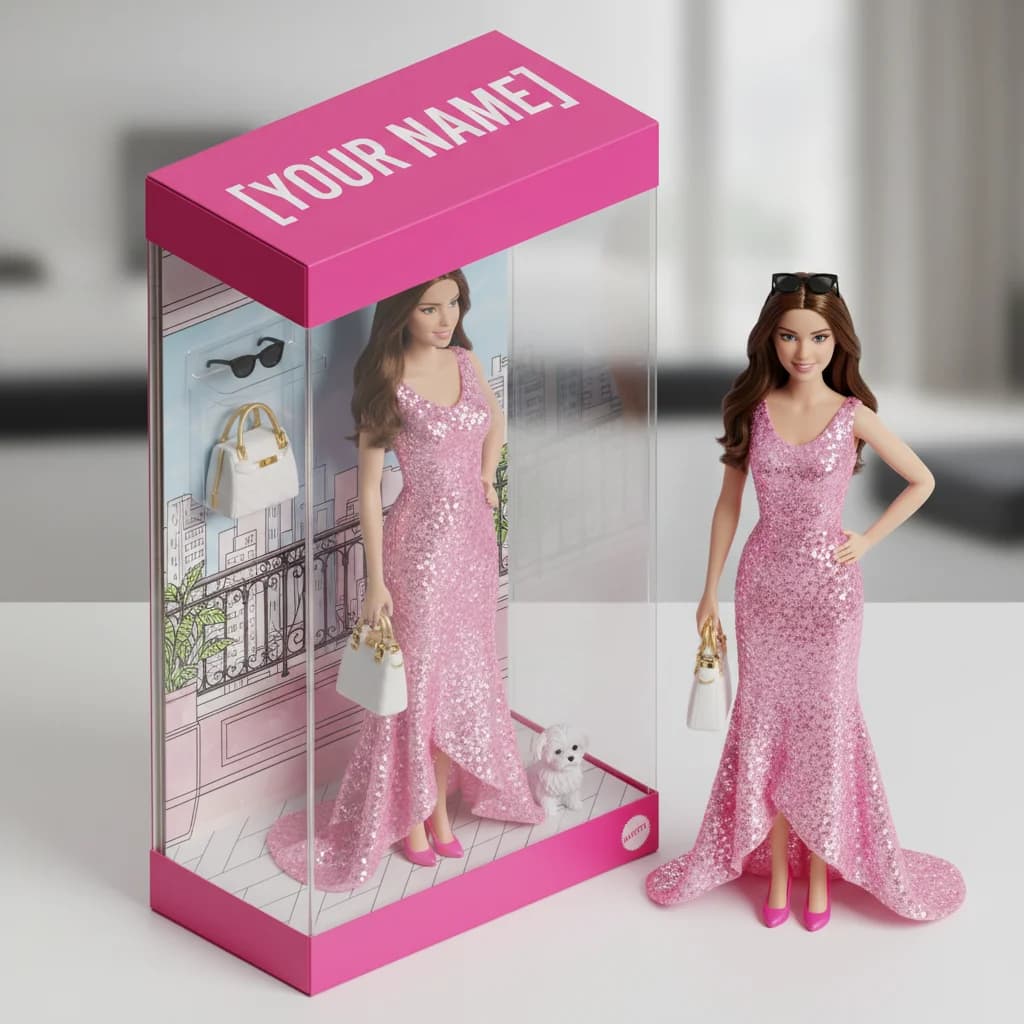
Want to turn yourself into a stunning Barbie doll sealed in a pink box with designer accessories? The AI Barbie doll filter trend has taken over TikTok, Instagram, and X — and you can create your own in under 2 minutes for free.
In this guide, you'll get 15 ready-to-use prompts, a step-by-step tutorial, and pro tips to create jaw-dropping AI Barbie transformations.
What Is the AI Barbie Doll Filter Trend?
The AI Barbie doll filter is a viral trend where people use AI tools to transform their photos into Barbie-style portraits and 3D figurines in toy packaging. From lifelike figurines sealed inside a pink box to glamorous fashion-doll makeovers — the results are incredible.
Why it's everywhere:
- Millions of shares on TikTok, Instagram, and X
- Works with any photo — selfies, portraits, full-body shots
- Free to try with no design skills needed
- Evolved from the Ghibli-style AI art wave into its own creative movement
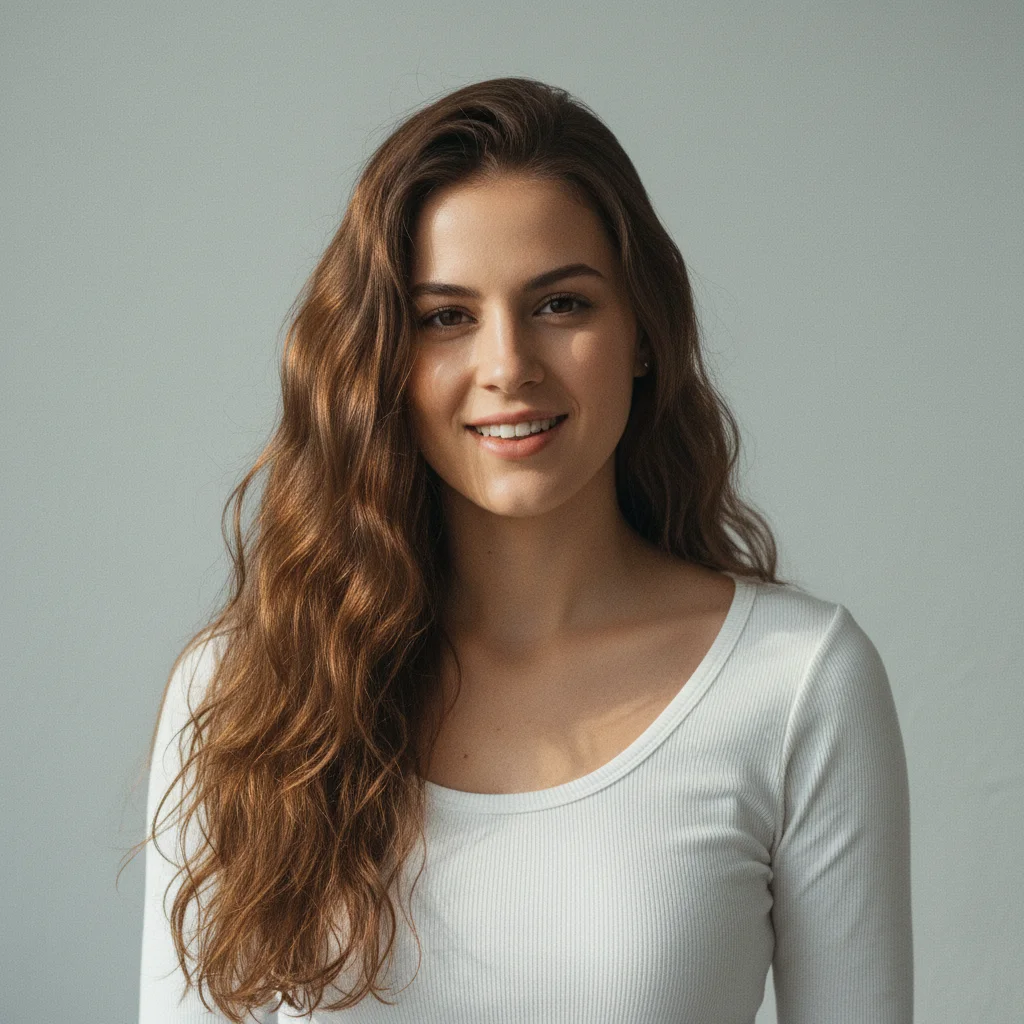
Before
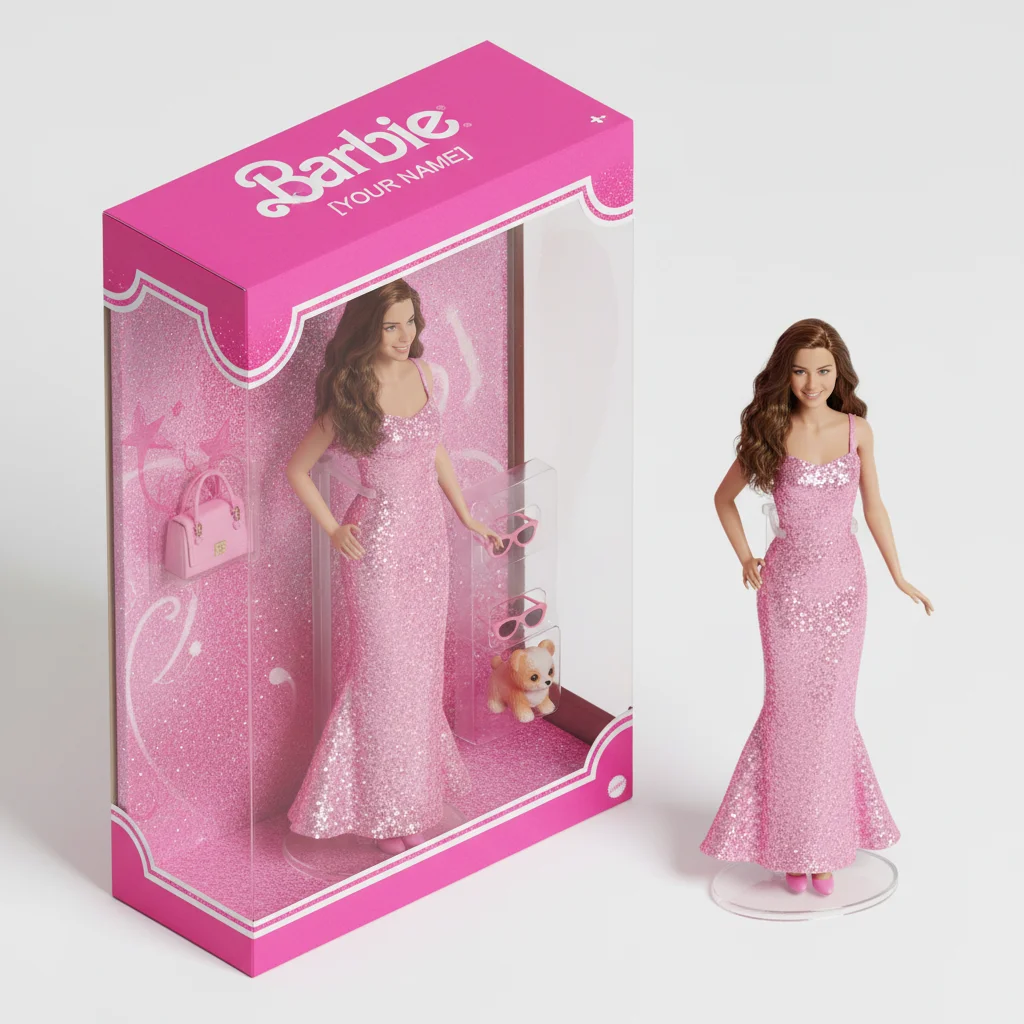
After
How to Create AI Barbie Doll Photos (Step-by-Step)
Nano Banana Pro makes it incredibly easy to create stunning Barbie transformations — just upload your photo and get amazing results in seconds.
5 Easy Steps to Your AI Barbie Doll
- Go to Nano Banana Pro Create Page
- Upload your photo — Use a clear, well-lit selfie or portrait
- Copy one of the prompts below — Choose your favorite Barbie style
- Click Generate — Get your Barbie transformation in under 30 seconds
- Download & Share — Show off your Barbie self on social media!
Pro Tip: For the best Barbie results, use photos with:
- Clear face visibility
- Good, even lighting
- Simple backgrounds
- Front-facing or slight angle
15 Best AI Barbie Doll Filter Prompts
Looking for the perfect AI Barbie doll prompt? We've curated 15 prompts organized by style — from classic figurine boxes to themed fantasy Barbies. Just copy, paste, and generate!
Classic Barbie Figurine Box Prompts
1. Signature Pink Box Barbie
Before
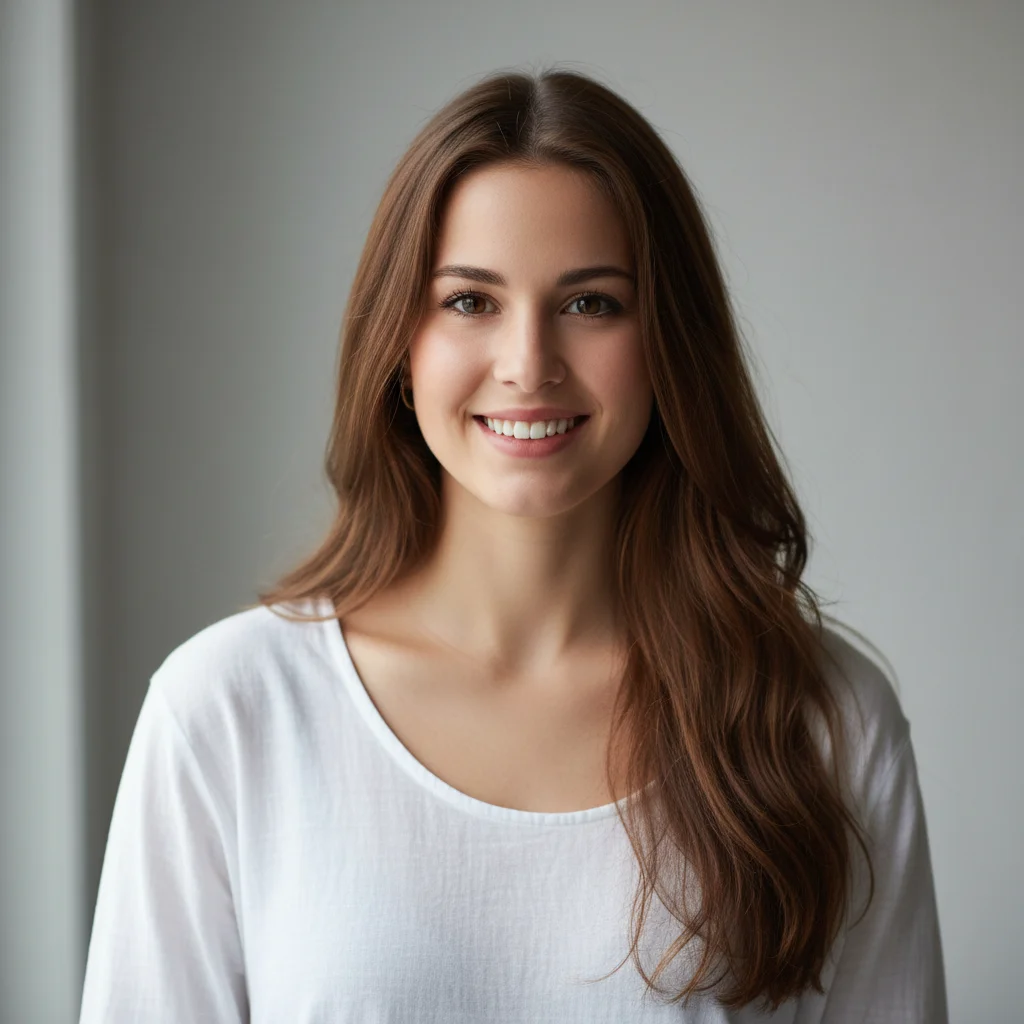
After
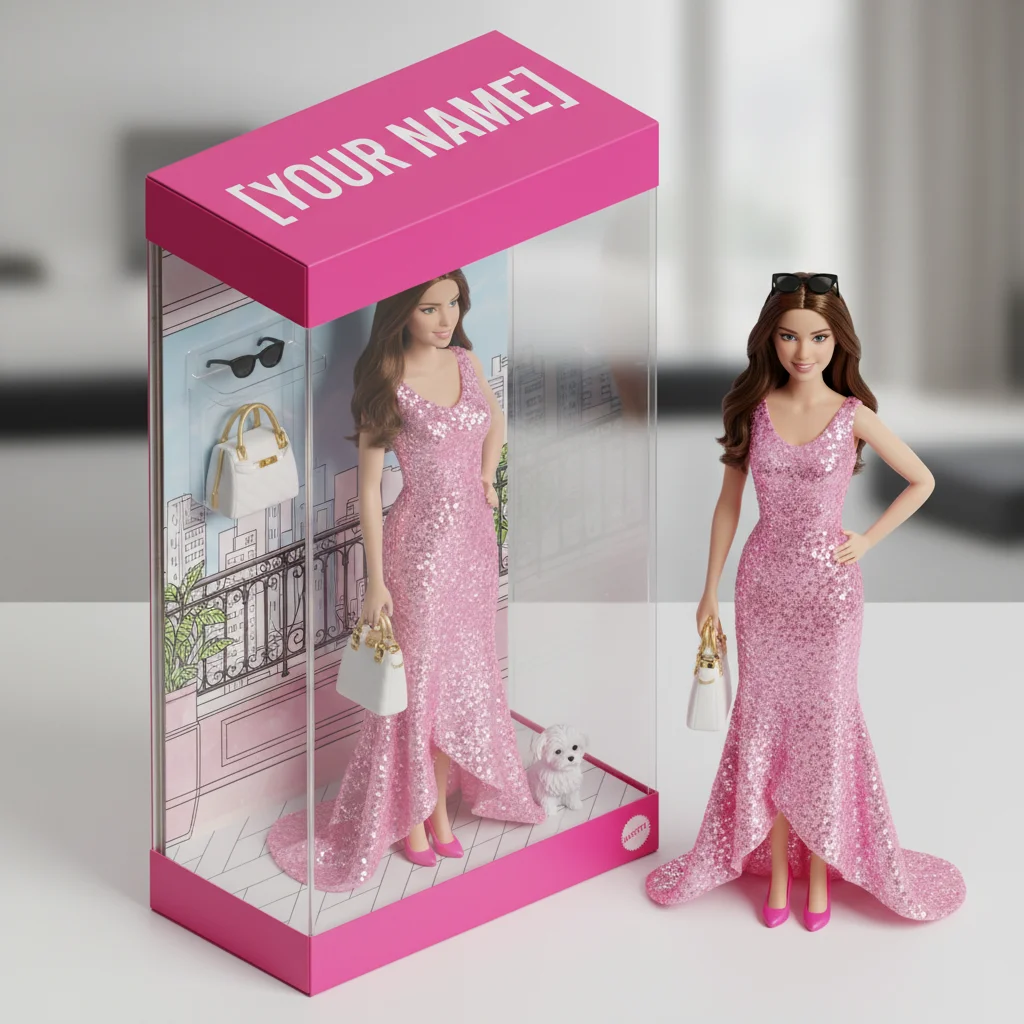
Transform the person in the photo into a 3D Barbie figurine packaging box,
presented in an isometric perspective. Label the packaging with the title
"[YOUR NAME]". Inside the box, showcase the 3D Barbie figurine based on
the person's appearance, wearing a pink sequin gown with matching heels,
along with essential accessories such as a designer handbag, sunglasses,
and a tiny puppy. Next to the box, also display the actual 3D Barbie
figurine outside of the packaging, rendered in a lifelike and realistic style.
Replace [YOUR NAME] with your name or any title you'd like on the box!
2. Collector's Edition Figurine
Create a photorealistic 1/7 scale Barbie figurine of the person in the
photo, in a commercial product photography style. The finished figure is
displayed on a transparent circular acrylic base. Next to the figurine is a
premium toy packaging box, designed in a style reminiscent of high-quality
collectible Barbie figures, printed with original artwork. The packaging
features a transparent front window showing the figurine. Shot with soft
studio lighting on a clean white background.
3. Limited Edition Showcase
Transform this photo into a "Limited Edition" Barbie figurine display.
The figurine should match the person's appearance and wear an elegant
evening gown in midnight blue with silver accents. Place the figurine
inside a premium black and gold packaging box with the title "[YOUR NAME]
Collection" and a holographic "Limited Edition" badge. Include accessories:
a miniature clutch purse, pearl necklace, and crystal tiara. Display the
figurine both inside and outside the box on a velvet display stand.
Themed Barbie Prompts (Most Popular!)
4. Fashion Runway Barbie
Before
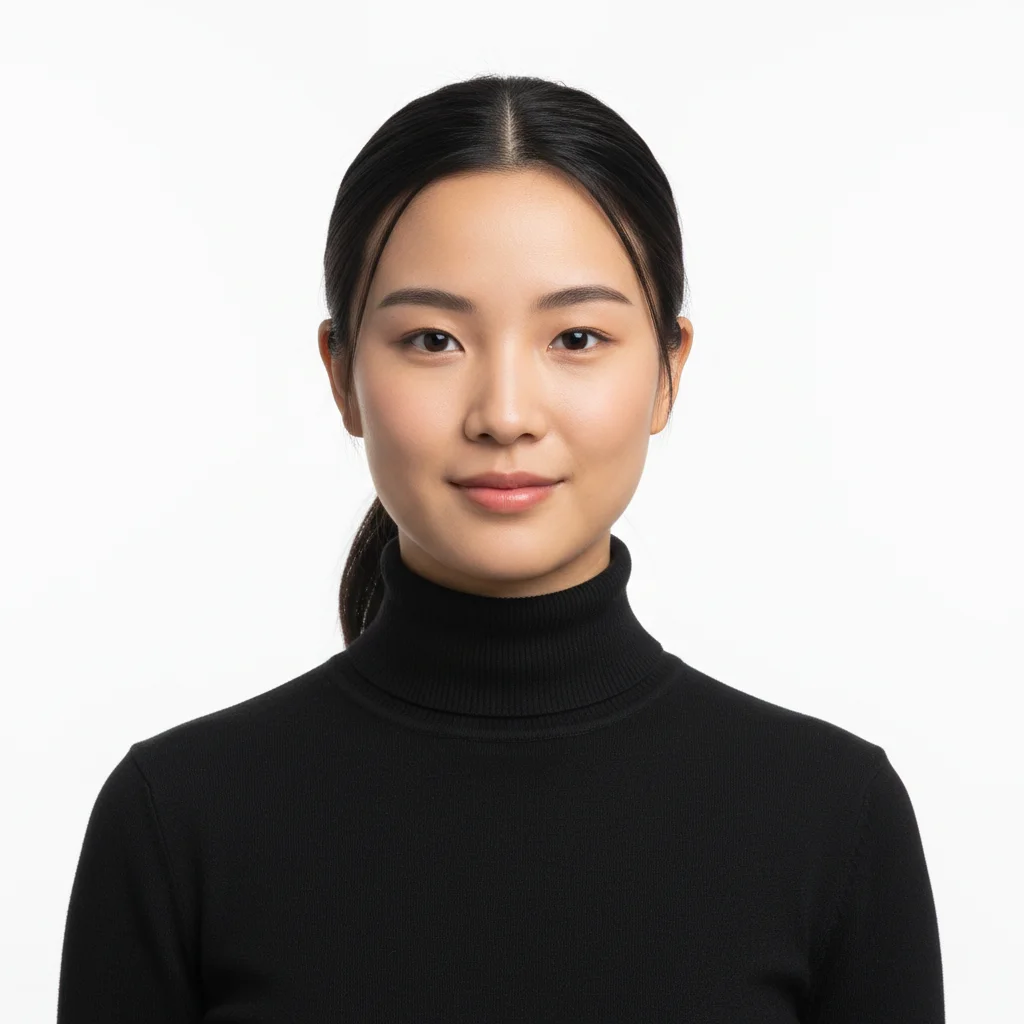
After
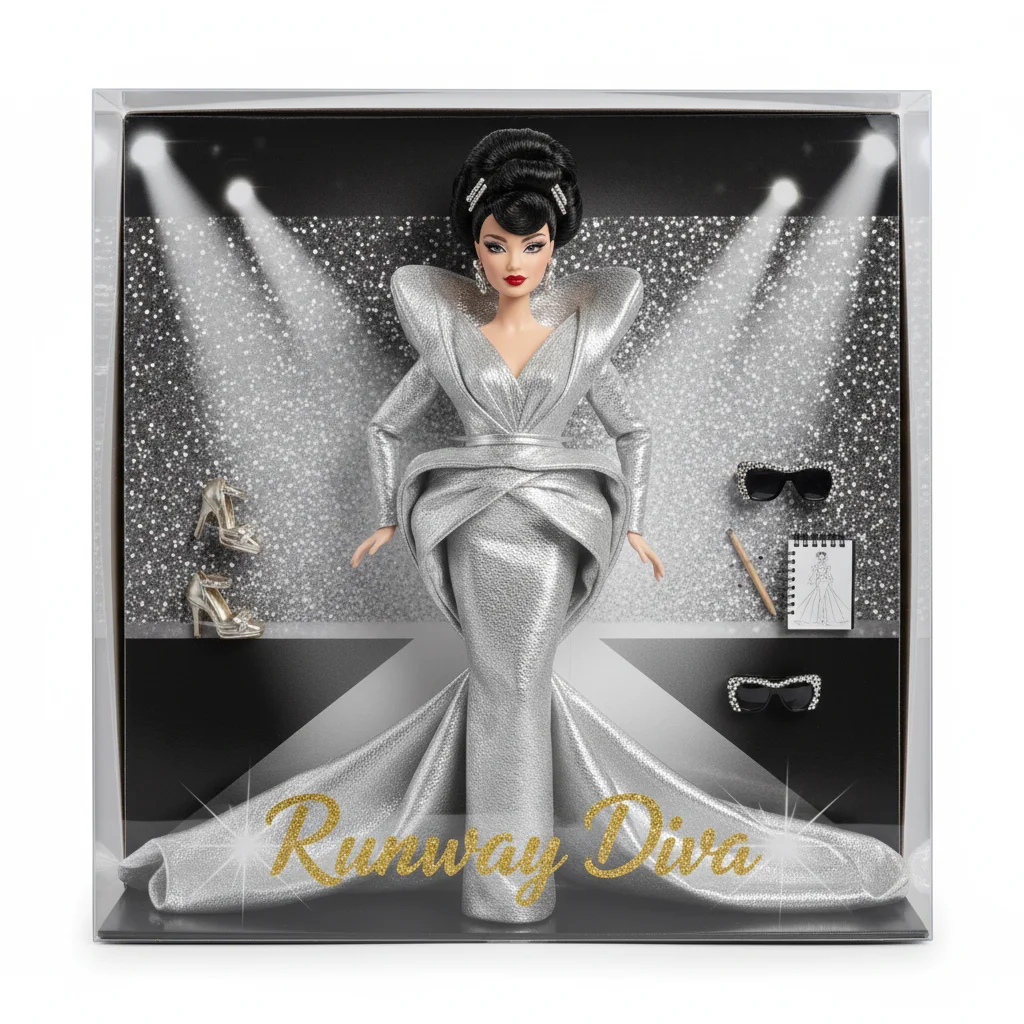
Create an AI Barbie doll of the person in this photo wearing a
high-fashion runway dress, elegant updo hairstyle, and full glam makeup
with winged eyeliner and bold red lips. Box says: "Runway Diva" with
spotlights and glittery background. Include accessories: designer heels,
oversized sunglasses, and a fashion sketch pad.
5. Career Boss Barbie
Transform the person in this photo into a "Boss Barbie" figurine.
Dress the figurine in a tailored power suit with a silk blouse, holding
a miniature laptop and coffee cup. The packaging box features a modern
office background with the title "CEO Edition". Include accessories:
a briefcase, smartphone, and car keys to a pink convertible.
6. Vintage 1950s Barbie
Generate a Barbie figurine of the person styled in vintage 1950s attire
with a polka-dot swing dress, classic pin curls, cherry-red lipstick,
and cat-eye sunglasses. Include a retro packaging box design with pastel
colors, cursive font, and the title "Vintage Collection". Accessories
include a miniature record player, milkshake, and a poodle on a leash.
7. Mermaid Queen Barbie
Turn the person in this photo into a "Mermaid Queen Barbie" with
iridescent scales on the tail, flowing ocean-blue hair, a pearl crown,
and a golden trident accessory. The box features an underwater theme with
coral reefs and bubbles. Include the title "Ocean Magic" with holographic
lettering. Accessories: a seashell mirror, starfish hairclip, and a
treasure chest.
8. Winter Wonderland Holiday Barbie
Create a "Winter Wonderland Barbie" of the person in this photo, wearing
a red velvet gown with white faux-fur trim, snowflake earrings, and
silver heels. The box has a snowy forest background with falling
snowflakes and gold foil accents. Include the title "Holiday Edition"
with a festive ribbon badge. Accessories: a gift box, candy cane,
and a miniature snow globe.
Creative & Fun Barbie Prompts
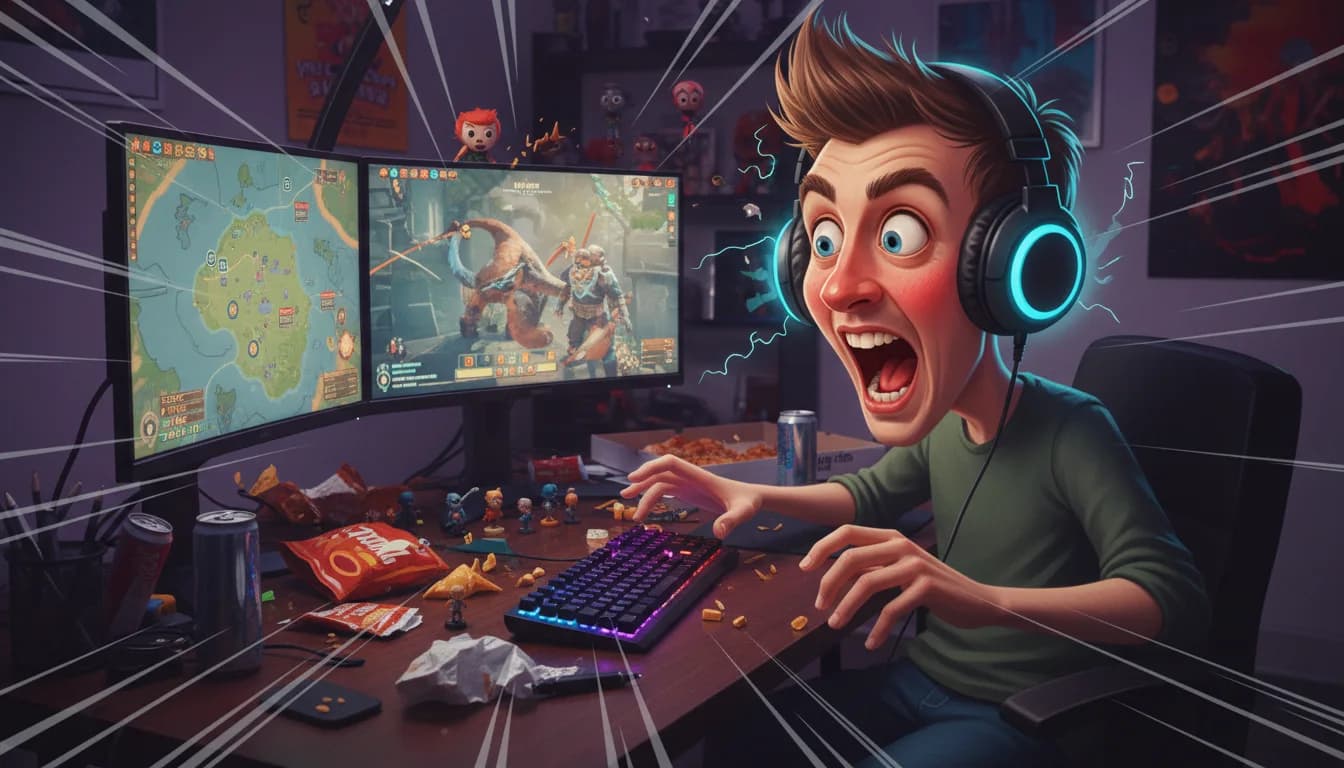
9. Gamer Girl Barbie
Transform this photo into a "Gamer Girl Barbie" figurine wearing a
stylish hoodie with LED accents, gaming headset, and sneakers. The box
has a neon purple and cyan gaming-themed design with the title "Player
One". Include accessories: a miniature gaming controller, energy drink,
and a tiny gaming setup with RGB lights.
10. Astronaut Barbie
Create an "Astronaut Barbie" from this photo. The figurine wears a
stylish pink and white space suit with a transparent helmet. The
packaging features a galaxy background with planets and stars, titled
"Space Explorer Edition". Accessories: a miniature rocket ship, space
helmet, moon rock collection, and a flag with "[YOUR NAME]" on it.
11. Chef Barbie
Turn the person in this photo into a "Master Chef Barbie" wearing a
professional chef's coat, a pink apron, and a chef's hat. The packaging
has a kitchen backdrop with the title "Kitchen Queen". Include
accessories: a tiny whisk, cupcakes on a tray, a cookbook, and a
miniature stand mixer in pink.
12. Fitness Barbie
Transform this photo into a "Fitness Queen Barbie" wearing trendy
workout gear — matching sports bra and leggings in coral pink with
sneakers. The box features a gym background with the title "Fit &
Fabulous Edition". Accessories: a yoga mat, water bottle, wireless
earbuds, and a pair of miniature dumbbells.
13. Cottagecore Barbie
Create a "Cottagecore Barbie" from this photo, wearing a flowy floral
sundress with a straw hat and ankle boots. The packaging has a
countryside garden background with butterflies and wildflowers, titled
"Garden Dreams". Accessories: a woven basket with flowers, a vintage
book, a tiny watering can, and a pet bunny.
14. Pop Star Barbie
Turn the person in this photo into a "Pop Star Barbie" wearing a
sparkly sequin bodysuit with platform boots, dramatic stage makeup,
and a flowing ponytail. The box has a concert stage background with
spotlights and the title "Superstar Edition". Accessories: a
microphone, guitar, Grammy award trophy, and VIP backstage pass.
15. Travel Influencer Barbie
Transform this photo into a "Wanderlust Barbie" wearing a chic travel
outfit — linen pants, a crop top, and oversized sunglasses. The
packaging has a world map background with passport stamps, titled
"Jet Setter Edition". Accessories: a miniature suitcase with stickers,
a passport, camera, and a boarding pass to Paris.
Prompt Engineering Tips for Stunning Barbie Results
Want even better results? These techniques are distilled from extensive testing:
1. Be Specific About Appearance
Instead of:
Make me look like Barbie
Try:
Transform into a glamorous Barbie doll with porcelain-smooth skin, voluminous blonde curls, dramatic winged eyeliner, glossy pink lips, and sparkling blue eyes
2. Describe the Packaging in Detail
Include details about the box design:
Premium Barbie packaging with transparent front window, hot pink border, silver foil logo, and 'Limited Edition' badge in the corner
3. List Specific Accessories
Accessories make the image feel authentic:
Include accessories: a miniature designer handbag, a pair of stiletto heels, a toy poodle, and a pink convertible car — all arranged around the figurine
4. Define the Art Style
Be explicit about the visual style:
"photorealistic product photography style"— looks like a real toy photo"3D rendered in Pixar-quality style"— animated, polished look"hyper-realistic digital art"— between photo and illustration
5. Use Emphasis Techniques
| Technique | Example | Why It Works |
|---|---|---|
| ALL CAPS for emphasis | The figurine MUST have blonde hair |
Improves adherence to critical details |
| Bullet lists | Use - to list multiple accessories |
AI follows structured text better |
| Hex color codes | Dress color: #FF69B4 (hot pink) |
Enables precise color matching |
| Negation clauses | NEVER include text watermarks |
Prevents common unwanted artifacts |
Photo Preparation: Get the Best Barbie Results
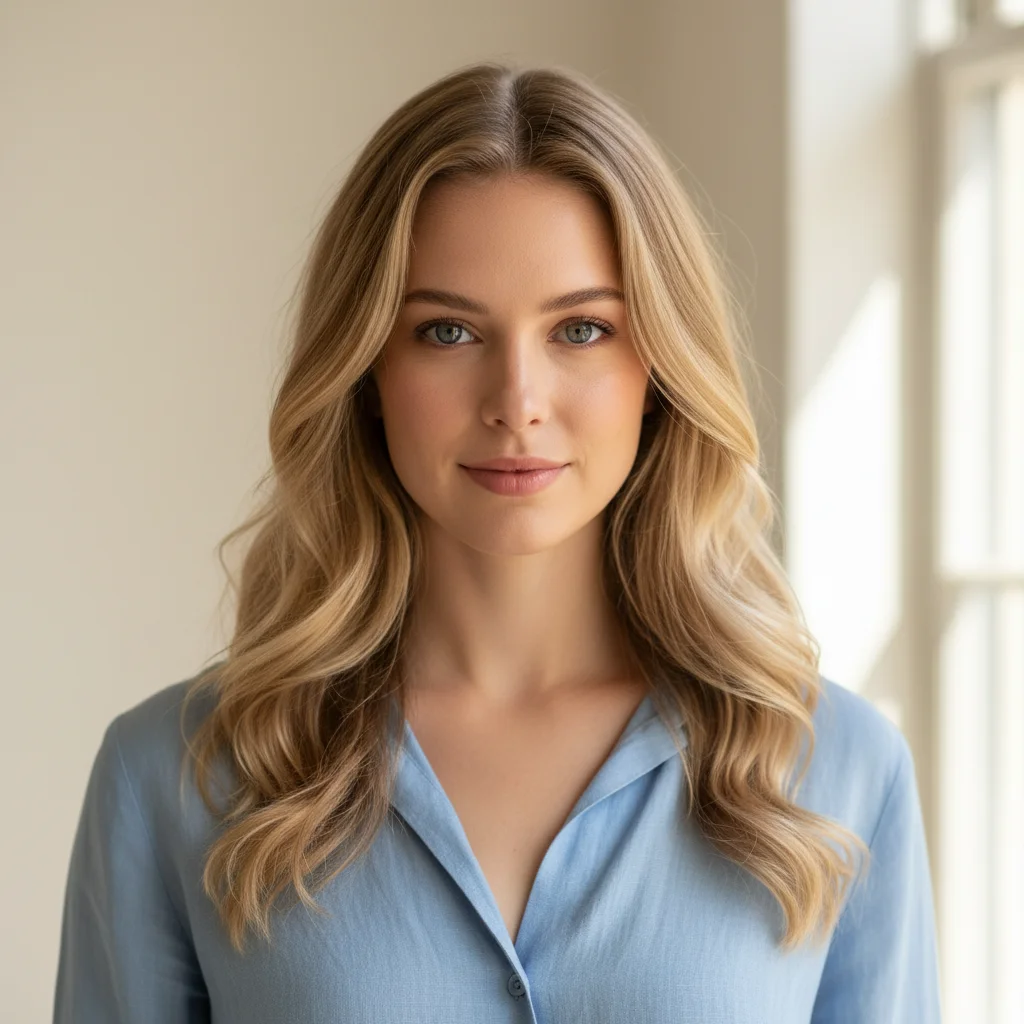
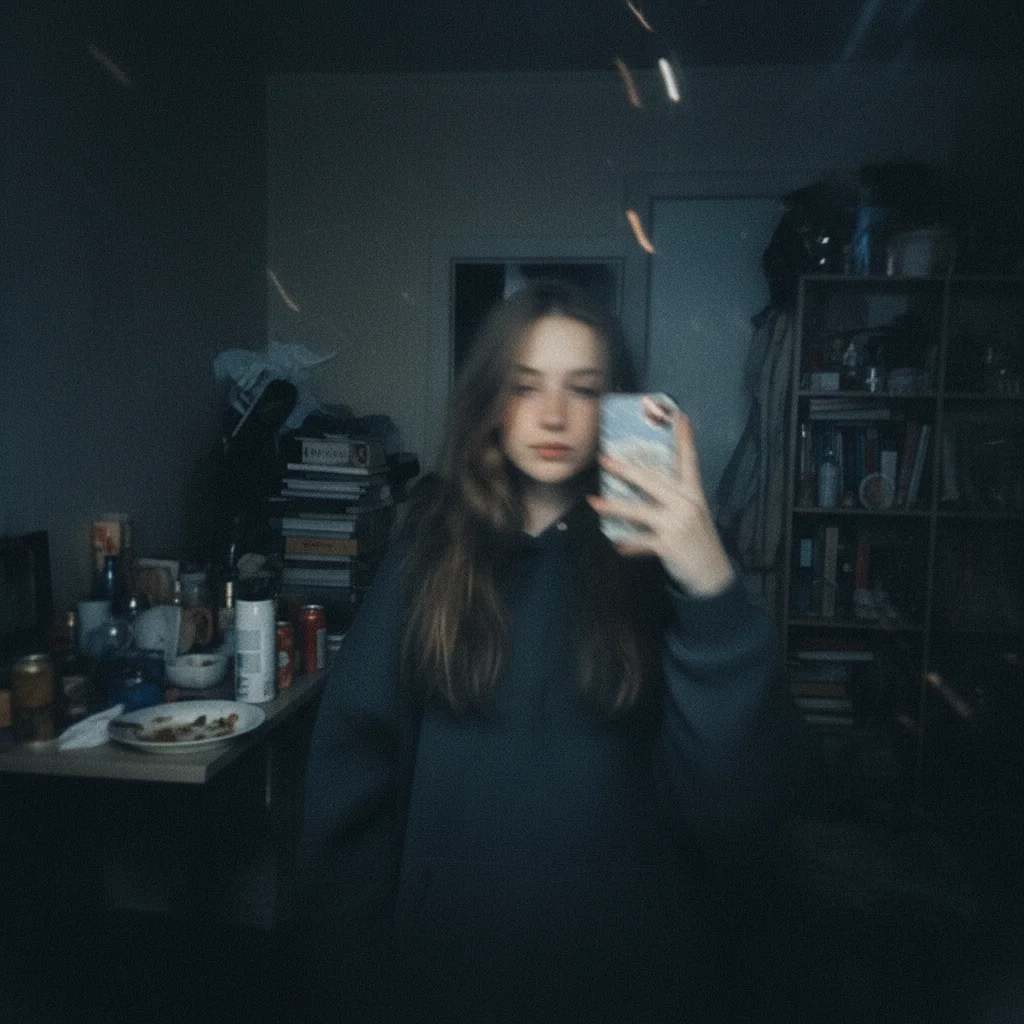
Your source photo makes a huge difference. Even the best prompt can't fix a blurry, poorly-lit photo.
Photos that work best:
- Resolution: Use the highest resolution available
- Lighting: Natural, even lighting — avoid harsh shadows
- Background: Simple or neutral backgrounds
- Pose: Front-facing or 3/4 angle portraits
- Expression: Clear, confident expressions work best
- Body type: Full-body shots for figurine boxes; headshots for portrait-style filters
✓ Good Photo
✗ Bad Photo
Frequently Asked Questions
Is the AI Barbie doll filter free?
Yes! You can try it for free on Nano Banana Pro — new users get free credits on signup. Each Barbie generation uses just 2 credits, so you can create multiple Barbie transformations right away.
Which photos work best for the Barbie filter?
High-resolution, well-lit portraits against a simple background produce the best results. Front-facing or 3/4 angle shots are ideal. Avoid group photos, blurry images, or heavily filtered selfies.
How do I make my AI Barbie look more like me?
Include specific details about your appearance in the prompt: hair color and style, eye color, skin tone, and distinctive features. Adding instructions like "maintain the person's exact facial features" helps preserve your likeness.
Can I customize the Barbie box and accessories?
Absolutely! That's the beauty of prompt-based generation. You can specify the box title, color scheme, accessories, background theme, and even add text like "Limited Edition" badges. Check the themed prompts above for inspiration.
How long does it take to generate?
On Nano Banana Pro, most Barbie transformations generate in under 30 seconds. You can immediately download and share the result.
Can I use these images commercially?
Generated images are yours to use for personal projects and social media sharing. For commercial use, please review our Terms of Service for specific guidelines.
Start Creating Your AI Barbie Doll Now
Ready to transform yourself into a stunning Barbie figurine? Here's your quickest path:
- Go to Nano Banana Pro Create Page →
- Upload your best photo
- Copy the Signature Pink Box Barbie prompt above
- Click Generate — done in 30 seconds!
Most people get an amazing result on their very first try. Don't forget to share your creation on social media!